
Day’s agenda
Events
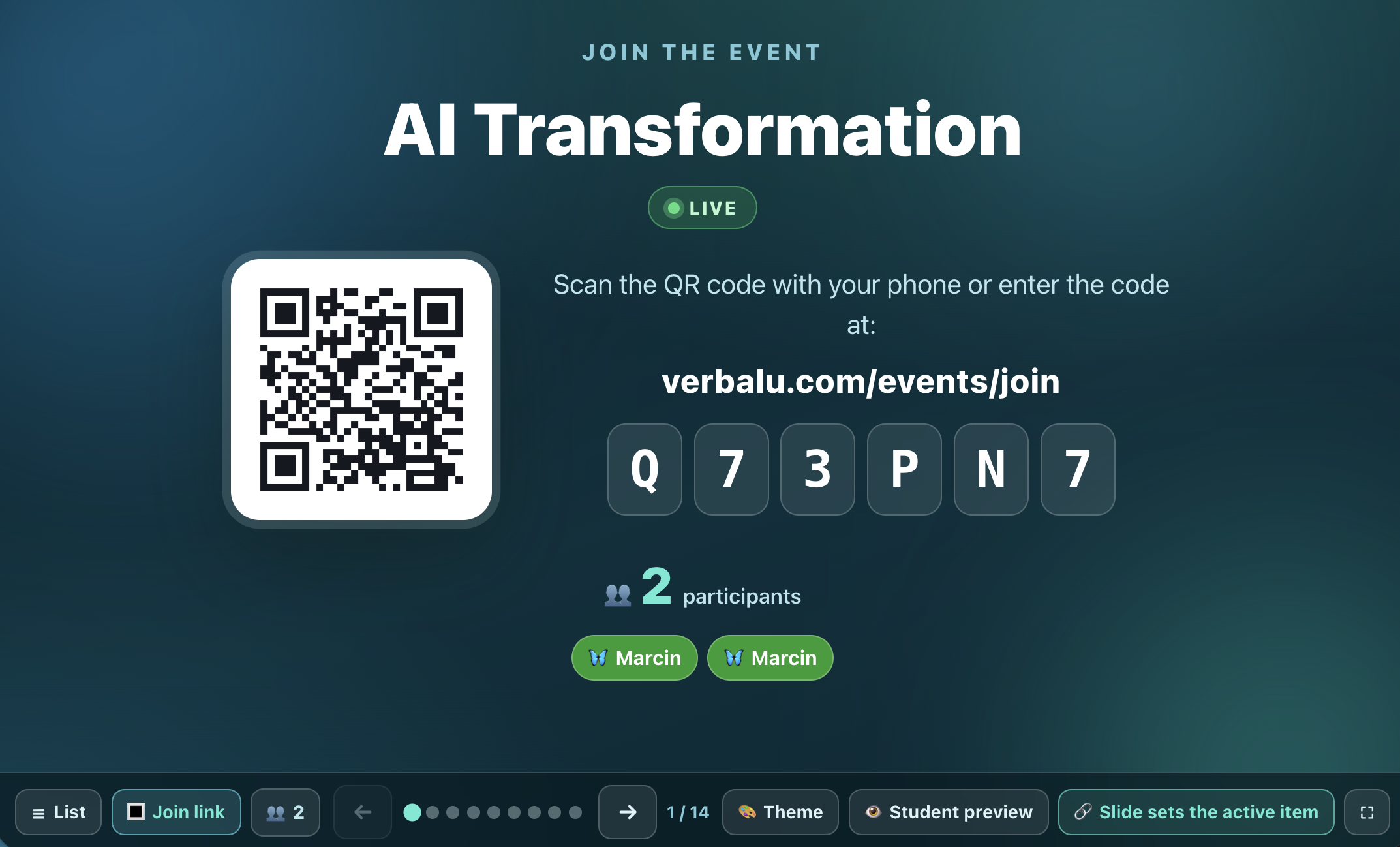
Bundle a whole day’s agenda under one join code and QR code. Participants scan once, type their name once, then tap straight into each activity - no rescanning.
What is Events?
An event is the script for an entire meeting, lesson or training in one place. You give it a name and a date, then assemble the agenda from Verbalu’s ready-made tools and games - quizzes, surveys, attendance, ask-me-anything, flashcards, group voting and team games. Each agenda item runs its own session, but participants use a single shared join code.
A participant scans the QR code (or types the code) just once and enters their name once. From then on they see the list of activities and tap straight into whichever one you make active - no logging back in, no rescanning. From the host console you decide which agenda item is live, and you set the order by dragging items into place.
An event also covers everything before and after the training: a public signup page collects applications, you decide who gets an invitation, and scheduled emails send the reminders and follow-ups for you. When you run the same training more than once, each training session gets its own code and its own roster.
See it in action
One code, the whole agenda
Features
Key capabilities
One code for the whole meeting
Every activity shares a single join code and QR code - participants scan and enter their name only once.
Agenda of tools and games
Add quizzes, surveys, attendance, questions, flashcards, group voting and team games to the agenda, in any order.
One-tap switching
Participants don’t rescan - from the activity list they tap straight into the one you’re running.
Live control
From the host console you choose which agenda item is active and walk the group through the activities.
Participant list
A separate tab shows who joined the event and at what time.
Slides for the projector
The event projects its own deck: a welcome slide with the join code and QR, then one slide per agenda item - in the visual theme you pick.
Agenda from your materials
Upload your files (PDF, TXT, Markdown), give the goals and the duration, and the AI drafts an agenda mixing lectures, games and tools - review and edit it before adding.
Breaks with a countdown
A break is an agenda item with its own clock - the room sees the same countdown on the projector as everyone has on their phone, and you can pause or extend it.
Downloadable materials
Files attached to the event land in a File Folder and appear on the agenda as “Materials” - participants download them without creating an account.
Public signup page
Every event gets a public signup page with a description, schedule, speakers and photos - pick a theme and layout, then share the link before the training.
Waitlist
Signups from the public page land on a waitlist - you approve or reject each one, and the system sends the invitation or rejection email for you.
Email communication plan
Schedule messages to registrants: after signup, on approval, a reminder before the training, on the day and a follow-up afterwards - they send themselves.
Training sessions
Run one training many times - each session has its own join code, its own roster and its own copy of every activity, and you keep the full delivery history.
Step by step
How it works
Create an event
Give it a name and a date - it’s the script for the whole meeting.
Build the agenda
Add the tools and games you need and drag the items into the order you want.
Share the code
Show one QR code or letter code - participants scan and enter their name once.
Run it live
Activate each agenda item in turn and the group taps straight into the current activity.
Use cases
What it’s good for
- A training day made of several activities under one code
- A lesson with a quiz, a survey and attendance without logging back in
- A workshop or icebreaker session built from a series of team games
- A conference or training event with seamless switching between items
- A full training day without handing out a new code for every activity
- The agenda and every activity behind a single link
- Participants join once and move through the programme in order
- An open training with a public signup page and applicant screening
White label
Your brand for participants
On the paid plans you can add your company name, logo and colors, and during every session participants will see your brand instead of Verbalu.
Try “Events” in Verbalu
Create a free account and run your first engaging session today. No card, no installation.