
A 3D study room with a shared timer
Study Room
Studying alone is easy to put off. In a shared room the group sits at tables as their own avatars, studies on one pomodoro timer and sees its hours for the week, and nobody slips out before the block ends unnoticed.
What is Study Room?
Study Room is a room where training participants, students, or course learners study together, even though each person works on their own task. The trainer opens the room and shares a code, and participants join from a phone or laptop without creating an account.
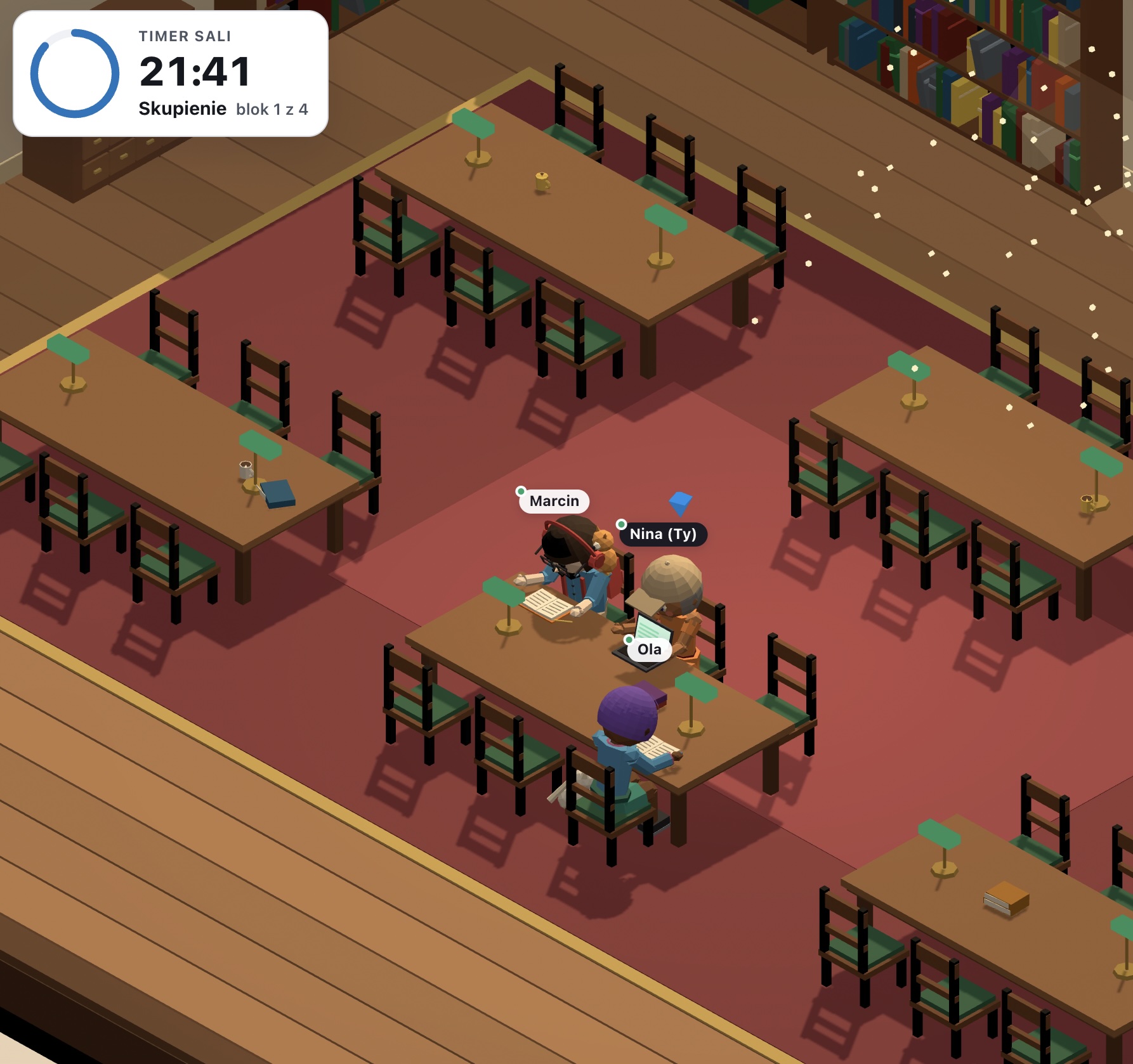
The room is 3D and alive: ten places, from a library and a café to a beach, a Japanese garden, and a space station. Each participant builds their own avatar: body type, skin tone, hairstyle, facial hair, glasses, outfit, accessories, and even a pet. During a block the avatar reads, writes, or types on a laptop; on a break it stretches and drinks coffee.
The shared timer sets the pace: one for the whole room, a separate one for each group, or a personal one for each person. Study minutes count only when someone is actually in the room, and they go onto a weekly card of hours with a goal, a streak, and completed blocks.
See how it works
From a code to a week of study
Take a look inside
Ten places to study in, live in 3D
The 3D room will appear here
Shelves full of books, lamps on the tables, and dust dancing in the sunlight.
Features
Key capabilities
3D room with avatars
Ten low-poly places full of motion: waves on the beach, fire in the fireplace, koi in the pond, snow outside the window. Rotate and zoom the room, and show it on a projector with a slow turntable view.
Shared study timer
Focus blocks and breaks with a sound signal, timed by the server clock, so they switch at the same second on every screen. Classic 25/5, deep 50/10, or your own plan.
Leaving before the block ends
Anyone who leaves during a block first sees how much time is left. If they leave anyway, the trainer and the room get a short notice, and the early-exit counter in the table goes up.
Weekly card of hours
Everyone sees their hours for the week, a bar for each day, the weekly goal, their study streak, and completed blocks. The trainer gets a table for the whole group with CSV export.
Groups at shared tables
Groups sit together at their own tables, share a weekly score, and can have their own timer if needed. Groups are created by the trainer or by participants themselves.
Avatar builder
Body type, 10 skin tones, 11 hairstyles, facial hair, eyes, glasses, 7 kinds of outfits, headwear, a scarf or backpack, any colors, and a pet by your side. Your look stays saved in the browser for the next room.
Chat, files and exercises in the room
Turn on one conversation for the whole room with a click, attach a folder of files to download and add exercises from the Verbalu library: quizzes, fill-in-the-blanks, flashcards, crosswords. Participants do them inside the room, so the timer and their study minutes keep running.
Step by step
How it works
Open a room
Give it a name, choose a place and a timer mode. The room stays open for weeks.
Let participants in
Participants join with the code or a QR code, enter their name, and build an avatar.
Study together
Start the timer, and everyone types what they're working on. After each block, the room asks how it went.
Check the week
The weekly card shows each participant's hours, and the trainer's table shows the whole group.
Use cases
What it’s good for
- Quiet individual work in the middle of a training day: reading, an exercise, a case study
- An evening review room before a certification exam that the group comes back to every day
- Supervised homework and study time at school or on a course
- University project groups that study together, but each at its own table
- Online courses where learners need rhythm and company, not another recording
- Corporate academies that want to see how much time employees actually spend learning
- Self-learners who invite friends to a shared study session
White label
Your brand for participants
On the paid plans you can add your company name, logo and colors, and during every session participants will see your brand instead of Verbalu.
Try “Study Room” in Verbalu
Create a free account and run your first engaging session today. No card, no installation.