
Interactive exercise
Fill in the blank
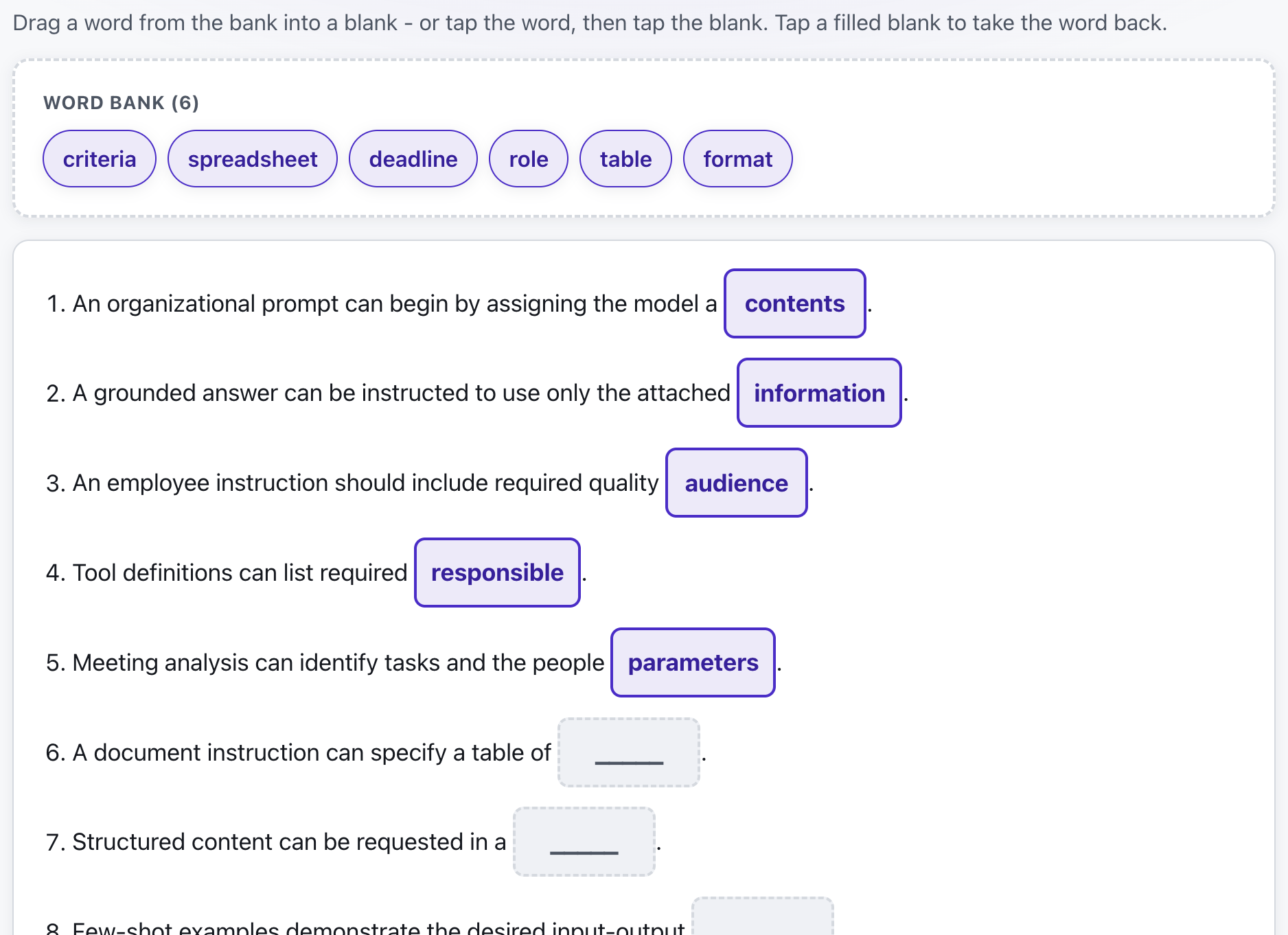
Sentences with words missing: participants drag them in from a shared bank or type them. Or hide nothing and ask them to mark what you are after in the text - mistakes, numerals, anything. You see live what tripped the group up.
What is Fill in the blank?
You write the sentences and click the words that should disappear. Every clicked word becomes a blank, the exercise is saved to your library, and you run sessions from it by sharing a code or a QR code.
Participants join from their phones and fill the gaps - dragging words from one shared, shuffled bank or typing them. In the third mode nothing disappears: they read the whole text and click the words that match the task, say "point out the numerals" or "mark the mistakes". When it ends everyone gets their own summary with the score and the right answers, and you get the chart of how the group did word by word.
Features
Key capabilities
Drag mode
Everyone gets the same shuffled bank of words. Add decoy words that fit no blank to make it harder.
Typing mode
No words on screen: participants have to produce the term from memory. Case-sensitive checking is optional.
Click to hide a word
Write a sentence, click the words to blank out. Or paste a whole list at once with the missing words in [brackets].
Optional time limit
Set a time with auto-finish, or run the exercise without a limit and end it manually.
Reusable exercises
Create, edit and duplicate exercises for future sessions; deleted ones stay recoverable in the bin.
Per-blank results
See how many participants got each individual blank right - the hard ones are exactly what to walk through again.
Step by step
How it works
Write the sentences
Type them in and click the words that should turn into blanks.
Pick the mode
Drag from a shared word bank, or type the answers. Add decoys or a time limit if you want.
Run the session
Share the code and QR code; participants join from their phones and fill the blanks.
Review the results
Everyone gets their score, you get the per-blank chart and the full report.
Use cases
What it’s good for
- Checking that key terminology has actually stuck
- Definitions where the exact wording matters
- Language training: collocations, prepositions and phrasing
- A quick warm-up recap of the previous module
- Procedures and checklists that must be recalled in order
- Spotting which two concepts the group keeps mixing up
- Spotting mistakes and picking out features in a text you hand over
White label
Your brand for participants
On the paid plans you can add your company name, logo and colors, and during every session participants will see your brand instead of Verbalu.
Try “Fill in the blank” in Verbalu
Create a free account and run your first engaging session today. No card, no installation.