
Team planning
Kanban boards
Plan a team's work on a visual board - drag task cards across columns from idea to done.
What is Kanban boards?
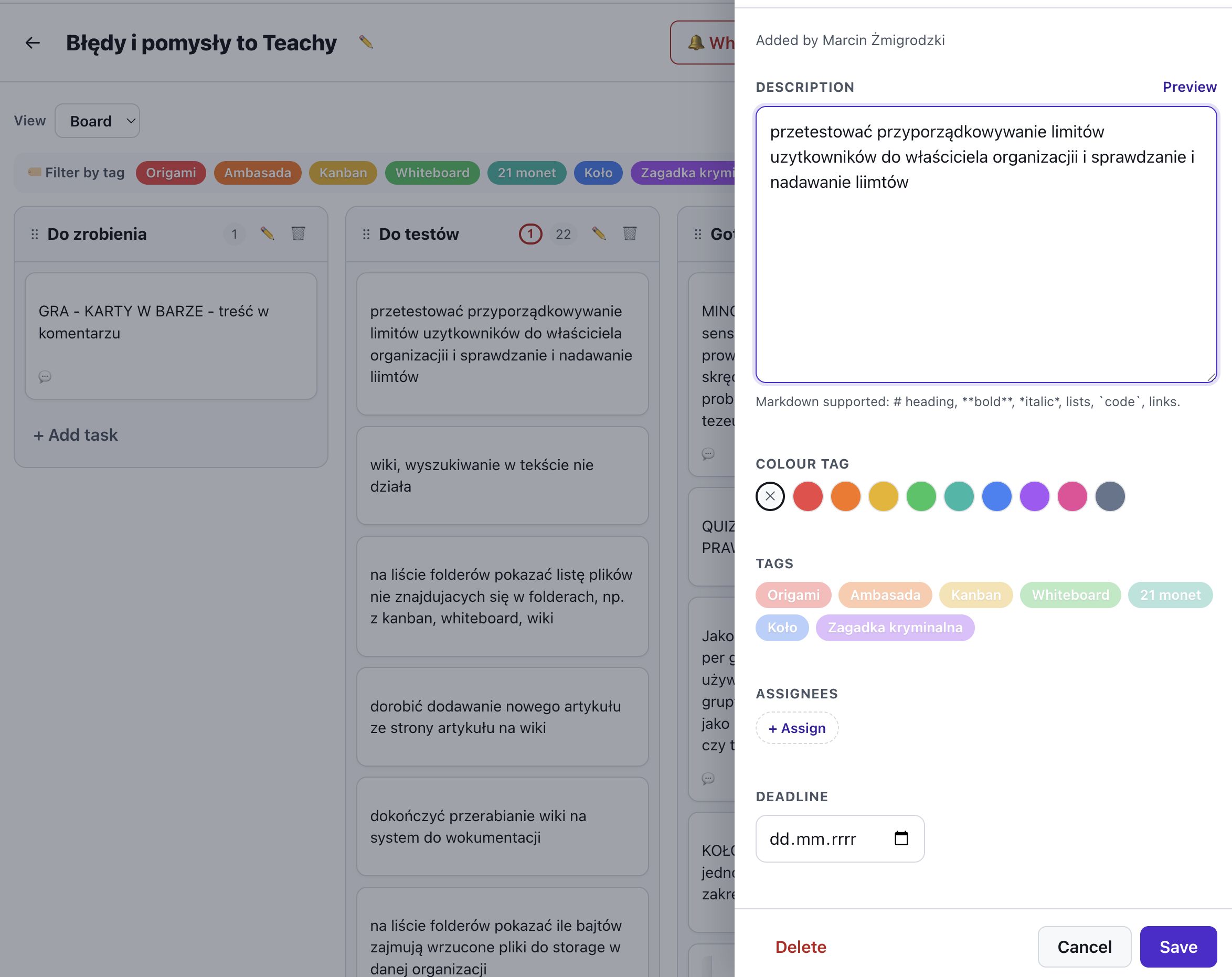
A Kanban board gives every project its own space: add columns for your workflow (e.g. To do, In progress, Done), rename and reorder them by dragging, and fill them with task cards. Each card holds a Markdown-formatted, multiline description, a due date, a colour label, a picture and an attached file.
Drag cards to reorder them or move them between columns as work progresses. Boards live in your organization for signed-in members, and you can share a read-only view with anyone via a link or QR code. Nothing is ever lost - deleted projects and tasks are archived rather than removed.
See it in action
From idea to done
Features
Key capabilities
Projects and columns
One board per project. Add, rename, reorder and delete columns to match your team's workflow.
Drag-and-drop cards
Reorder tasks within a column or move them between columns with a smooth, subtle drag.
Pictures on cards
Upload a picture from your computer straight onto a card - stored securely in the cloud.
Markdown and files
Write rich, multiline notes in Markdown and attach a file to any task.
Share by link or QR
Let anyone view the board read-only through a QR code or link, no account needed.
Task deadlines
Set a due date on a card so everyone can see what needs finishing, and when, at a glance.
Colour labels
Tag a card with one of nine colours to group and tell tasks apart by priority or type.
Content briefs
Send clients multi-page content forms with autosave - approve pages or send them back for revision, with a discussion thread on every page.
Tools on cards
Attach a whiteboard or another Verbalu tool to a card - a preview thumbnail on the card takes you straight to the shared work in one click.
Step by step
How it works
Create a project
Give your board a name - it starts with the classic To do / In progress / Done columns.
Add tasks
Drop cards into columns, then open the side panel to add a description, picture and file.
Move work forward
Drag cards between columns as tasks progress, and reorder columns to fit your flow.
Share the board
Show a QR code or send a link so others can follow progress in real time.
Use cases
What it’s good for
- Planning a project or sprint with a team
- Tracking participant or group assignments
- A shared backlog of ideas and tasks
- A visual to-do board on a projector during stand-ups
- Flagging priorities and deadlines with colours and dates
- I want to see who is working on what and what is stuck
- A simple task board without rolling out a heavyweight system
- Collect the actions after a workshop and give them deadlines
White label
Your brand for participants
On the paid plans you can add your company name, logo and colors, and during every session participants will see your brand instead of Verbalu.
Try “Kanban boards” in Verbalu
Create a free account and run your first engaging session today. No card, no installation.