
Tool · Graphic design
Design Studio
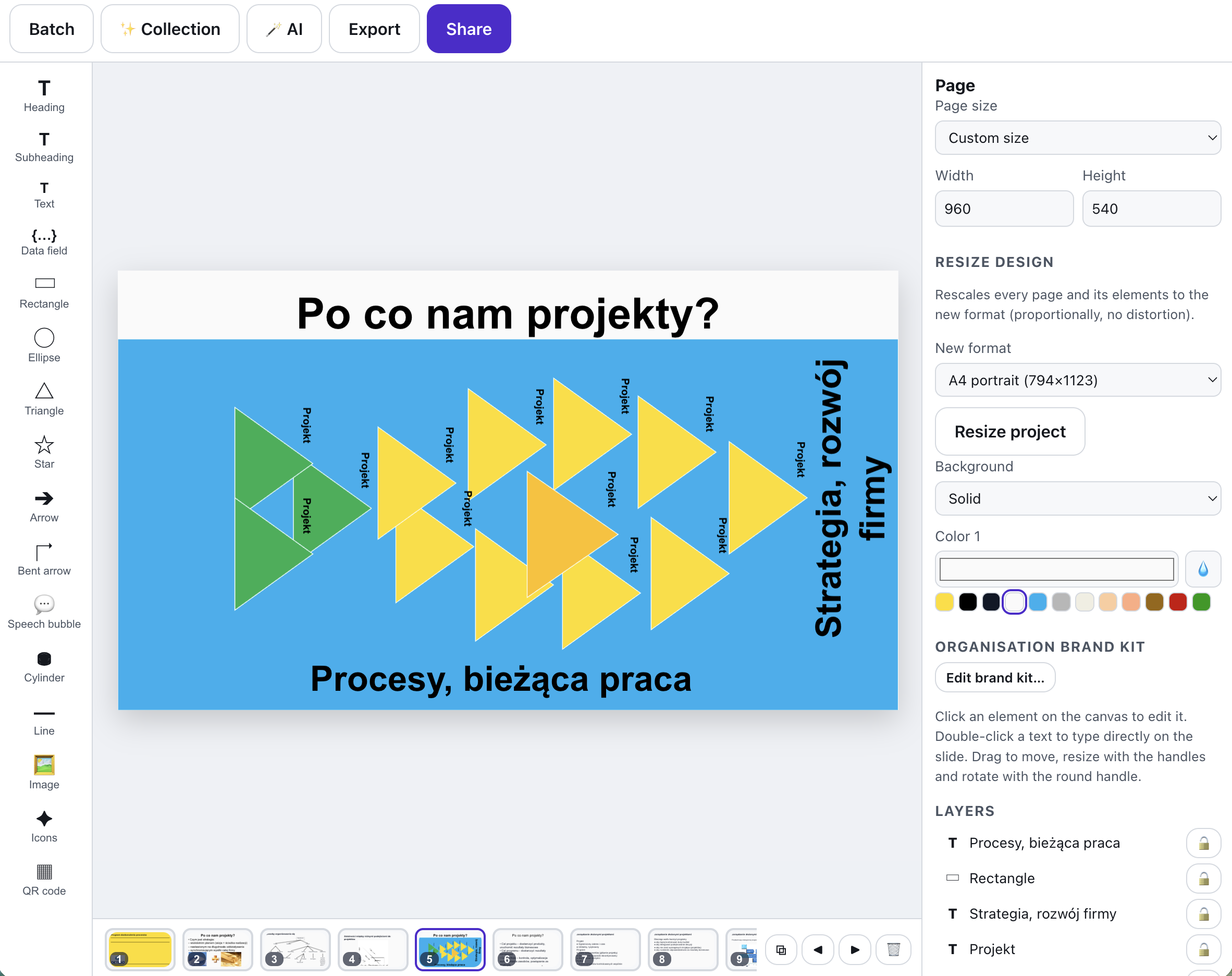
A Canva-style editor for screen and print materials. Pick one of 70 professional templates - certificates, invitations, marketing materials, offers and training materials - customise it on the canvas and publish it with a link or QR code.
What is Design Studio?
Trainers and teachers constantly need something "for right now": a completion certificate, a workshop invitation, a poster, a course offer or a day agenda. The Design Studio gives you polished, ready-made templates and a simple editor: drag elements, change texts, colors and images, and download the result as a PNG or a true-page-size PDF.
The biggest time-saver is batch generation: put data fields in your texts (e.g. a name in double curly braces), paste a table from Excel or Google Sheets, and get a PDF with one page per person - or a ZIP of PNG files - in one click. You can also save any design as an organisation template so the whole team works with consistent materials.
See it in action
From one template to a batch of ready files
Features
Key capabilities
A Canva-like editor
Drag, scale and rotate texts, shapes, lines and images; gradient backgrounds, layers, undo and autosave.
70 ready templates
Certificates, invitations, marketing materials, offers and training materials - professional layouts from A4 to social story and 16:9 slide.
Batch generation
Data fields in texts plus a pasted table = a PDF with a page per person, or a ZIP of PNGs named after the participants.
Publish via link & QR
Anyone can open a published design without signing in and download it as PNG or PDF - perfect at the end of a training.
A collection in one style
Turn one page into a whole set of materials - poster, story, post, slide and badge - in the same colours, fonts and background.
AI in the editor
The AI translates the design’s texts into another language, writes new ones from a short instruction and picks a coherent colour palette.
Presentation mode
Show the design full screen and step through its pages like slides - no export and no extra software.
Step by step
How it works
Pick a template
From the central library of 70 templates, from your organisation’s templates, or start with a blank page in any size.
Customise the design
Change texts, colors, fonts and images; add your own elements, background and data fields.
Generate in batch
Paste participant data and generate a full set of certificates or invitations in one click.
Publish and print
Download PNG/PDF for print, or share the link and QR code with participants.
Use cases
What it’s good for
- Completion certificates with the whole group’s names generated in a minute.
- Invitations to workshops, webinars and company events - for screen and print.
- Posters, flyers and course offers consistent with your organisation’s branding.
- Agendas, name badges and training materials saved as reusable templates.
- Invitations and posters without waiting for a designer
- Generate materials carrying the whole group's names in one go
- A browser-based editor for training materials
White label
Your brand for participants
On the paid plans you can add your company name, logo and colors, and during every session participants will see your brand instead of Verbalu.
Try “Design Studio” in Verbalu
Create a free account and run your first engaging session today. No card, no installation.