
Live interaction
Pin on image
A live Mentimeter-style pin-on-image poll - show an image, ask a question, and the whole group answers by pointing. The collective answer appears as one shared picture in seconds.
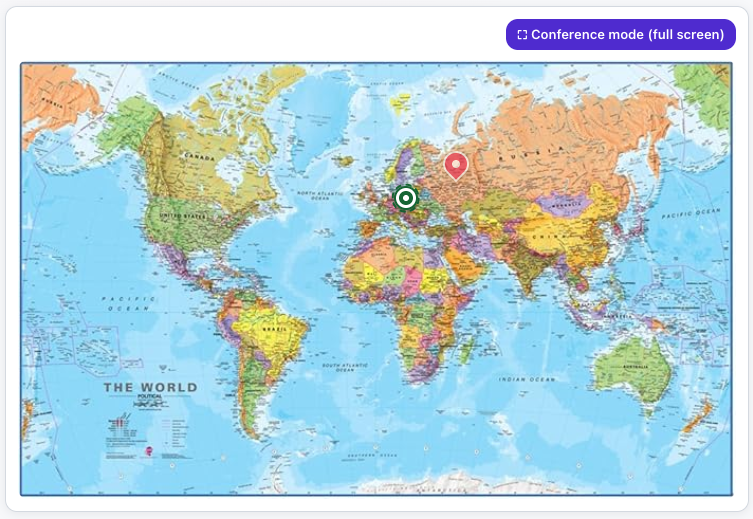
What is Pin on image?
You save an exercise: the question and the background image - a map, a diagram, a photo or a scale. The image goes into your File Folders, so you can reuse it across Verbalu. You decide how many pins each participant may place (1-5) and whether everyone watches the board fill up live. Then you run a session from that exercise - a separate one for each group, with its own code and its own board.
Participants join by letter code or QR from their phones without logging in, optionally give a name, and answer by tapping the image. Pins are stored as fractions of the image, so the host’s projector and every phone show exactly the same spots - and each participant gets their own pin colour.
See it in action
One image, many pins
Features
Key capabilities
Any image as the canvas
A map, diagram, photo, floor plan or scale - upload it or pick it from your File Folders.
1–5 pins per person
Decide how many pins each participant may place; with one pin, tapping again simply moves it.
Live visibility your way
Show the shared board in real time, or keep pins hidden until you reveal the result.
Participant list and timer
See who joined and how many pins they placed; close manually or set a countdown.
Join by code or QR
Participants join from their phones with a single scan or letter code, giving only a name (optional).
Quiz variant
Mark one correct spot and size the hit radius - everyone places a single pin, and when you reveal the answer the hits are ringed in green.
Play again
One click wipes the pins and reopens the same board for the next group - you can run the same question across several training slots.
Step by step
How it works
Save the exercise
Type the question, attach the image and set the number of pins and the board visibility. The exercise stays in your library.
Start a session and share the code
Open a session for this group from the exercise - the host console shows the code and the QR.
Participants answer
The group joins and drops pins on the image; until it closes they can adjust and resend.
Read the picture
Clusters, spread and outliers appear live - talk about what the room just said. The next group gets its own clean session of the same exercise.
Use cases
What it’s good for
- Geography and map questions - “where is…”, “where should we…”
- Spotting errors or key elements on a screenshot, diagram or process map
- Preference and mood checks on a scale or two-axis matrix image
- Workshops: pointing out risks on a plan, priorities on a matrix, pain points on a journey map
- I want the group to point at a spot on a map or a photo
- A vote placed on a two-axis matrix
- Mark risks and problems directly on a plan or a diagram
White label
Your brand for participants
On the paid plans you can add your company name, logo and colors, and during every session participants will see your brand instead of Verbalu.
Try “Pin on image” in Verbalu
Create a free account and run your first engaging session today. No card, no installation.