
Room tool
Timer
A clear clock for the whole room - count down or up, analog and digital.
What is Timer?
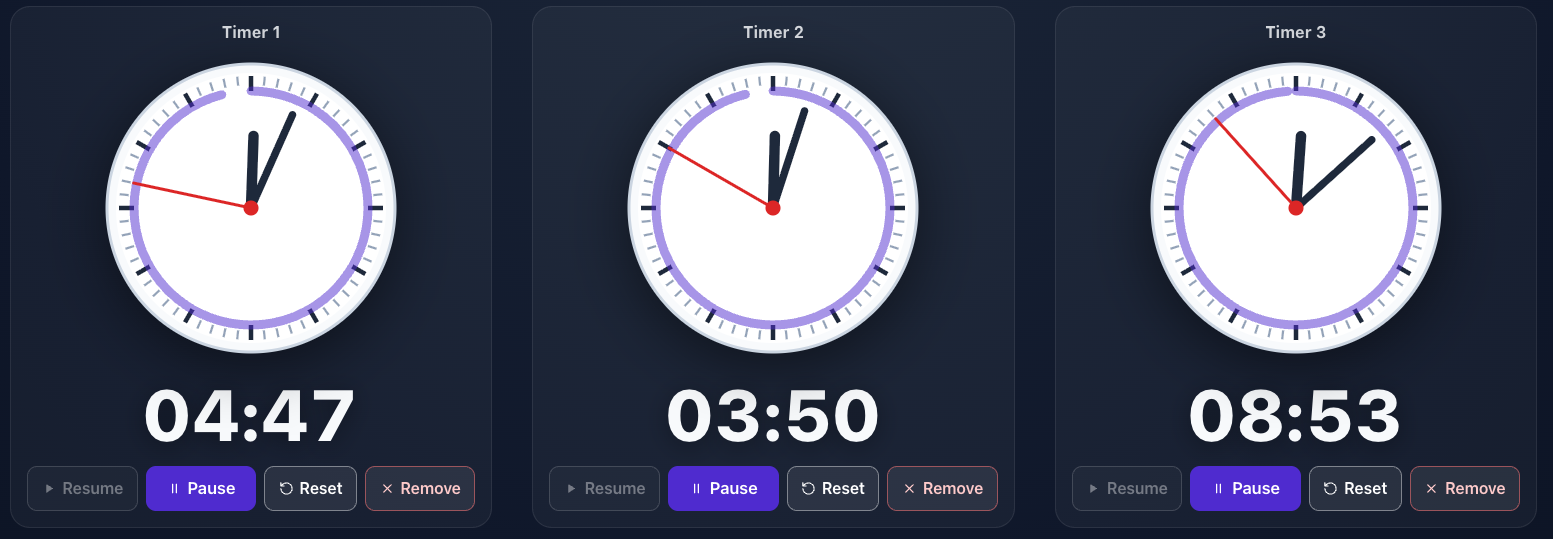
The timer is a large, high-contrast clock ready to show on the projector and readable from the back row. You choose the dial type - analog, digital or both at once - and the counting direction.
You can count down from a set time (with ready presets in minutes) or count up from zero. While it runs you pause, resume and reset the clock, and when time’s up a clear “Time’s up!” message appears.
Features
Key capabilities
Analog, digital or both dials
Pick the clock style that fits the room and the kind of exercise.
Count down and count up
Count down from a set time or measure time up from zero.
Ready presets
Set popular lengths (1, 5, 10, 15, 30, 45 min) with one click.
Visible from anywhere
A large, high-contrast dial in full screen - perfect for a projector.
Pause, resume, reset
Control the clock as you go, and see a clear end-of-time message when it runs out.
Several timers at once
Add as many clocks side by side as you need - each has its own name, time and controls, so you can run several parallel activities.
Step by step
How it works
Pick the dial and direction
Decide whether the clock is analog, digital or both, and whether it counts down or up.
Set the time
For a countdown, enter hours and minutes or use a ready preset.
Run it full screen
Show the clock on the projector so the whole group sees the remaining time.
Control as you go
Pause, resume and reset the clock depending on how the exercise unfolds.
Use cases
What it’s good for
- A time limit for group work or an exercise
- Counting down breaks between training blocks
- Timing participant presentations
- A pomodoro-style work rhythm in a session
- A clock big enough to read from the back of the room
- Keep breakout groups inside their time box
- Show clearly how much of the break is left
White label
Your brand for participants
On the paid plans you can add your company name, logo and colors, and during every session participants will see your brand instead of Verbalu.
Try “Timer” in Verbalu
Create a free account and run your first engaging session today. No card, no installation.