
Room tool
Random number
Set a range and draw a number on screen - with a suspense effect and a no-repeats option.
What is Random number?
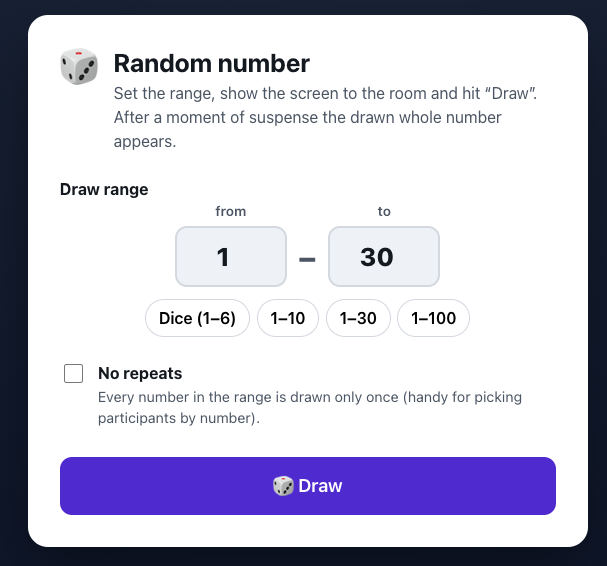
Drawing a random number is a showy way to pick a number in front of the whole room. You set a range of whole numbers (from–to) and show the screen to the group.
After you click “Draw”, a short slot-machine-style animation builds suspense before the result lands in a huge, high-contrast font. You can turn on “no repeats” mode, where each number in the range comes up only once - perfect for drawing participants by number. Recent results stay on screen, so you keep drawing without interruptions.
Features
Key capabilities
Any range
Set your own range of whole numbers or use presets (a die 1–6, 1–10, 1–30, 1–100).
No-repeats mode
Each number in the range comes up only once - great for drawing participants by number.
Suspense effect
The drawing animation builds excitement before the result lands on screen.
Draw history
Previous results stay visible, so it’s easy to run a series of draws.
Clear on a projector
A huge, high-contrast number visible from the back row of the room.
Step by step
How it works
Set the range
Enter the “from” and “to” values or pick a ready preset.
Choose a mode
Turn on no-repeats drawing if you need it.
Draw
Click “Draw” and show the group the animation and the full-screen result.
Keep drawing
Repeat the draw - previous results stay visible on screen.
Use cases
What it’s good for
- Picking a participant to answer by number
- Randomly assigning tasks or roles
- An element of games and contests in training
- An impartial way to settle the order of presentations
- Pick someone to answer without playing favourites
- Draw a number from the list on screen
- Settle the running order at random
White label
Your brand for participants
On the paid plans you can add your company name, logo and colors, and during every session participants will see your brand instead of Verbalu.
Try “Random number” in Verbalu
Create a free account and run your first engaging session today. No card, no installation.