
Room tool
QR code
Turn any text or address into a print-ready QR code and download it as a PNG.
What is QR code?
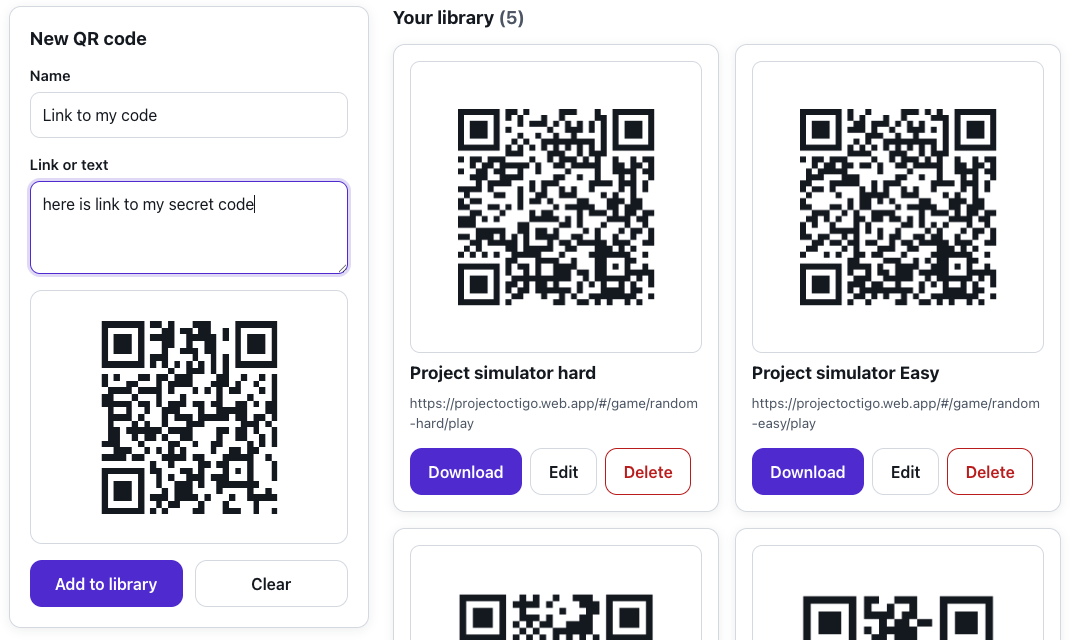
The QR code generator turns any text or URL into a scannable code. You paste the content and the code preview updates as you type.
You download the finished code in high resolution as a PNG file, so printed and shared codes stay sharp. Perfect for quickly sending participants to a page, a form or materials.
Features
Key capabilities
Text or URL
Encode any link, text or other content in a single QR code.
Live preview
The code updates instantly as you change the content you type.
High-resolution download
Save the code as a sharp PNG file (up to 1024 px) ready to print and share.
Quick clear
Clear the field with one click and start over.
Blow it up for the room
Click the code to show it full screen - it scans from the back row as well as the front. Finished codes can be kept in your organisation’s library.
Step by step
How it works
Paste the content
Enter the URL or any text you want to encode.
Check the preview
The QR code appears instantly and updates with every change.
Download a PNG
Save the code in high resolution, ready to print.
Share it
Print the code or place it in your slides and participant materials.
Use cases
What it’s good for
- Sending the group to a page, a form or materials
- A QR code on a welcome slide or a poster
- Quickly sharing a link without dictating the address
- Joining online resources with a single scan
- Hand the room a link without dictating the address
- A QR code for a slide and for a printed poster
- Get participants to a form with a single scan
White label
Your brand for participants
On the paid plans you can add your company name, logo and colors, and during every session participants will see your brand instead of Verbalu.
Try “QR code” in Verbalu
Create a free account and run your first engaging session today. No card, no installation.