
Sharing materials
File folders
Hand out files to your group with a single link or QR code - and see exactly which materials get downloaded.
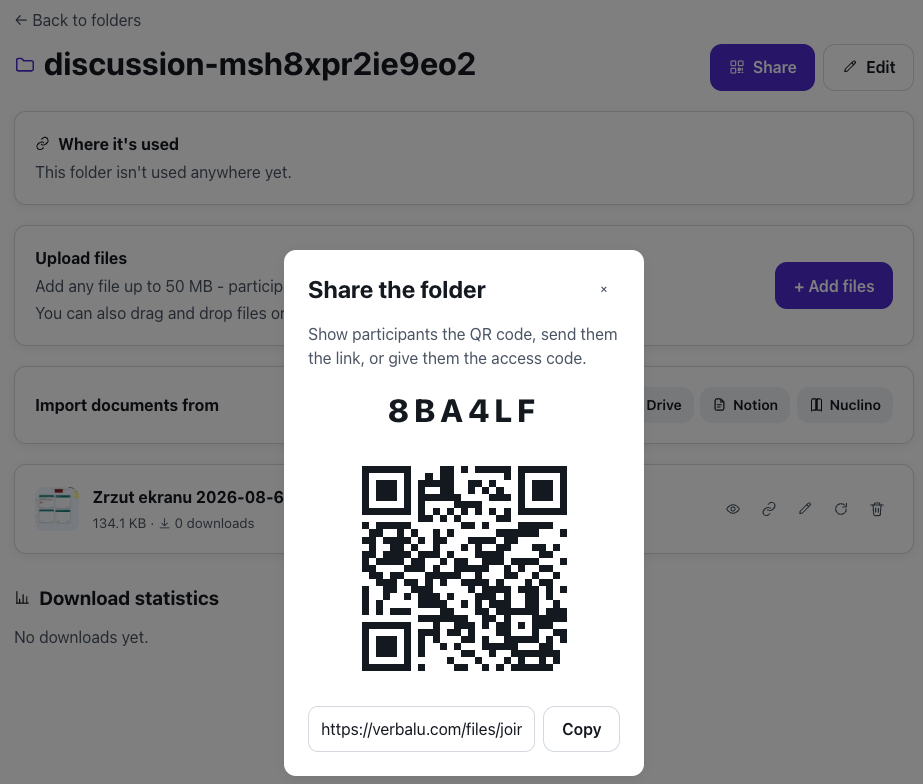
What is File folders?
A file folder is a shareable, virtual drawer for your teaching materials. Upload handouts, slides, worksheets or recordings, describe each one, and share the whole folder behind a single code - no accounts, no e-mail attachments.
Participants scan the QR code or open the link, see a clean list of files with your descriptions, and download whatever they need. Every download is recorded, so you always know which materials actually reached the room.
See it in action
From upload to download
Features
Key capabilities
One link for everything
Share an entire folder of files behind a single QR code, link and 6-character access code.
Describe each file
Add a short note to every file so participants know what it is and when to use it.
Version updates
Replace a file with a corrected version in place - the link and download history stay the same.
Download statistics
See how many times each file was downloaded and a live log of every download.
No participant accounts
Participants open the folder anonymously and download instantly - nothing to install or sign up for.
A source for the AI generators
The AI generators read the folder’s files - a training agenda, a quiz, a flashcard set or a survey can be built straight from them.
Tool folders
Tools that take files create their own folders and show where each file is used - with a jump straight to the session that uses it.
Step by step
How it works
Create a folder
Give it a name like “Lecture 3 - materials”.
Upload files
Add any files up to 50 MB and describe each one.
Share the code
Show the QR code or send the link to your participants.
Track downloads
Watch the per-file download counts grow as participants grab the materials.
Use cases
What it’s good for
- Hand out lecture slides and reading lists at the start of a group.
- Share worksheets and templates participants download and fill in.
- Distribute recordings or large resources without e-mail size limits.
- Check which materials participants actually downloaded before an exam.
- Hand out materials without emailing attachments
- One link to every file from the training
- Know who downloaded the materials before the session
White label
Your brand for participants
On the paid plans you can add your company name, logo and colors, and during every session participants will see your brand instead of Verbalu.
Try “File folders” in Verbalu
Create a free account and run your first engaging session today. No card, no installation.