
Review
Flashcards
Build a set of term–definition cards and run a shared review session with the whole group.
What is Flashcards?
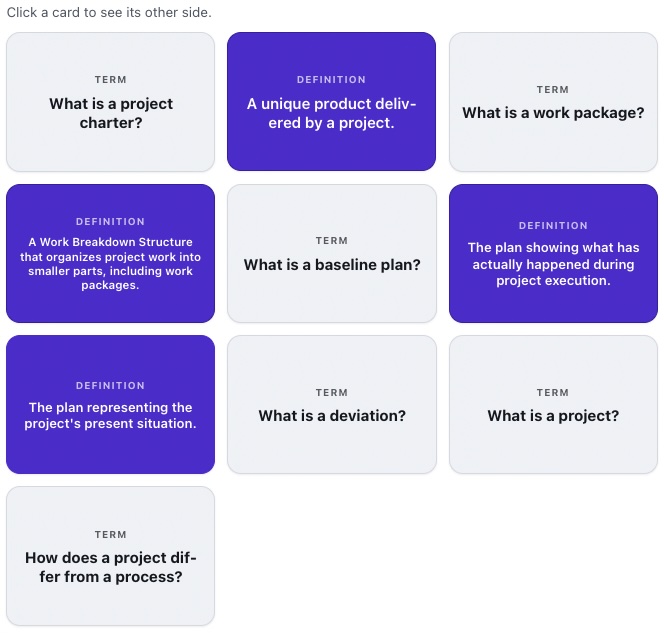
Flashcards are classic study cards: a term on the front, a definition on the back. You create a set, save it to your organization’s library and run sessions from it - the same set serves many classes.
During a session you share a code or a QR code, and participants follow the flipped cards live on their devices. You can fix the card order or shuffle it on every launch.
See it in action
Flip a card - the whole group sees the same thing
Features
Key capabilities
Term–definition cards
Each flashcard has a term on the front and a revealed definition on the back.
Reusable sets
Save sets, edit and duplicate them, and run sessions from them again and again.
Random or fixed order
Set a fixed card order or shuffle it on every session launch.
Live sync
Flipped cards are visible to all participants at the same moment.
Join by code or QR
Participants follow the session from their phones, joining with a single scan or code.
AI-built sets
Give a topic or point at a source file and the AI prepares a full set of term–definition cards for you to check and edit.
Import from a file
Already have a list of terms? Load the cards from a CSV or text file via File Folders - they are appended to the set.
Step by step
How it works
Build a set
Add cards with terms and definitions, and choose the default order.
Launch a session
Start a session from the set and open the host console with a code and QR.
Participants join
The group enters with a code or QR and sees the cards on their devices.
Review together
Move through the cards and flip them - everyone follows the review live.
Use cases
What it’s good for
- Reviewing vocabulary or concepts before a test
- Introducing and reinforcing industry definitions
- A warm-up recalling material from previous classes
- Learning terminology together in a training
- Revise the key concepts with the group before an exam
- A shared vocabulary drill for a language lesson
- Drill the industry terminology while onboarding new joiners
White label
Your brand for participants
On the paid plans you can add your company name, logo and colors, and during every session participants will see your brand instead of Verbalu.
Try “Flashcards” in Verbalu
Create a free account and run your first engaging session today. No card, no installation.