
Time tracking and settlements
Work time
See what plan your people have, how much they actually worked, and settle it internally or with the client - no spreadsheets on the side.
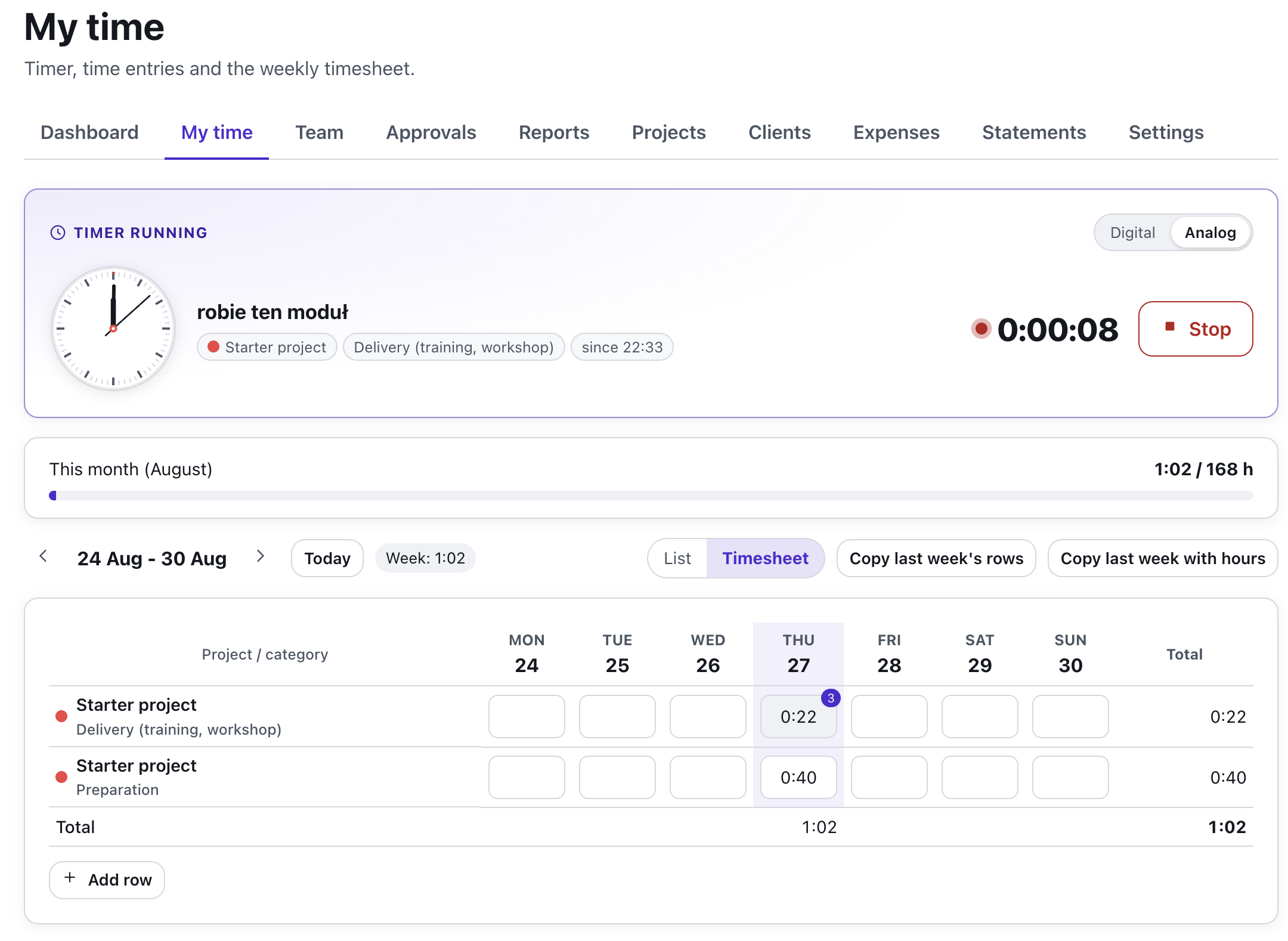
What is Work time?
A trainer starts the timer or types hours into the weekly timesheet; time can be logged straight from a Gantt task, a Kanban card or the calendar. Every entry has a project and a category, so it is clear at once what is delivery and what is a meeting, a status call or rework.
A manager plans work for a person or for "anyone", sees the team load against declared availability (80 or 160 hours a month), compares plan with actuals and, at month end, makes a client statement, a contractor settlement or a period close - at cost and sell rates nobody else sees.
How it works
From the timer to the statement
Features
Key capabilities
Timer and timesheet
One timer per person visible in every tool, entries by day and a weekly grid with copy-last-week.
Plan and workload
Assignments to a person or up for grabs, the Gantt plan derived live, a people × weeks matrix with overload judged at the contract scale.
Reports for the CEO
Dashboard, summary by client, project and person, plan vs actual, time waster share, entry audit, CSV.
Rates and clients
Cost and sell rates with validity dates at the organization, person, project or category level; a client registry for managers only.
Statements and settlements
Client statement, contractor settlement and period close with PDF and CSV; timesheet and expense approvals with receipts.
Plugged into the tools
Organization members as Gantt resources, a "Work" section on the Kanban card, plan and time blocks in the content calendar.
Step by step
How it works
Enable the module
The organization owner enables Work time in Settings: categories, days off, people's contracts and rates.
Plan
Link a project to a Gantt session or a Kanban board and assign work to people or up for grabs.
Log time
The team starts the timer or fills in the timesheet; entries from the tools land in the same place.
Settle
Check the reports, approve the period and make a client statement or a contractor settlement.
Use cases
What it’s good for
- A training company settling contractor trainers at cost rates and clients at sell rates.
- A team lead who sees one person on 4 projects at once at 115% of availability.
- A CEO who wants to know how much budget meetings and status calls eat.
- A waterfall project in Gantt with real people instead of fictional resources.
- A Kanban board where a task's time counts from the card.
- A monthly hour statement for a B2B invoice in one click.
White label
Your brand for participants
On the paid plans you can add your company name, logo and colors, and during every session participants will see your brand instead of Verbalu.
Try “Work time” in Verbalu
Create a free account and run your first engaging session today. No card, no installation.