
Live interaction
Word cloud
A live Mentimeter-style word cloud - ask a question and a whole group's first associations come together into one shared picture in seconds.
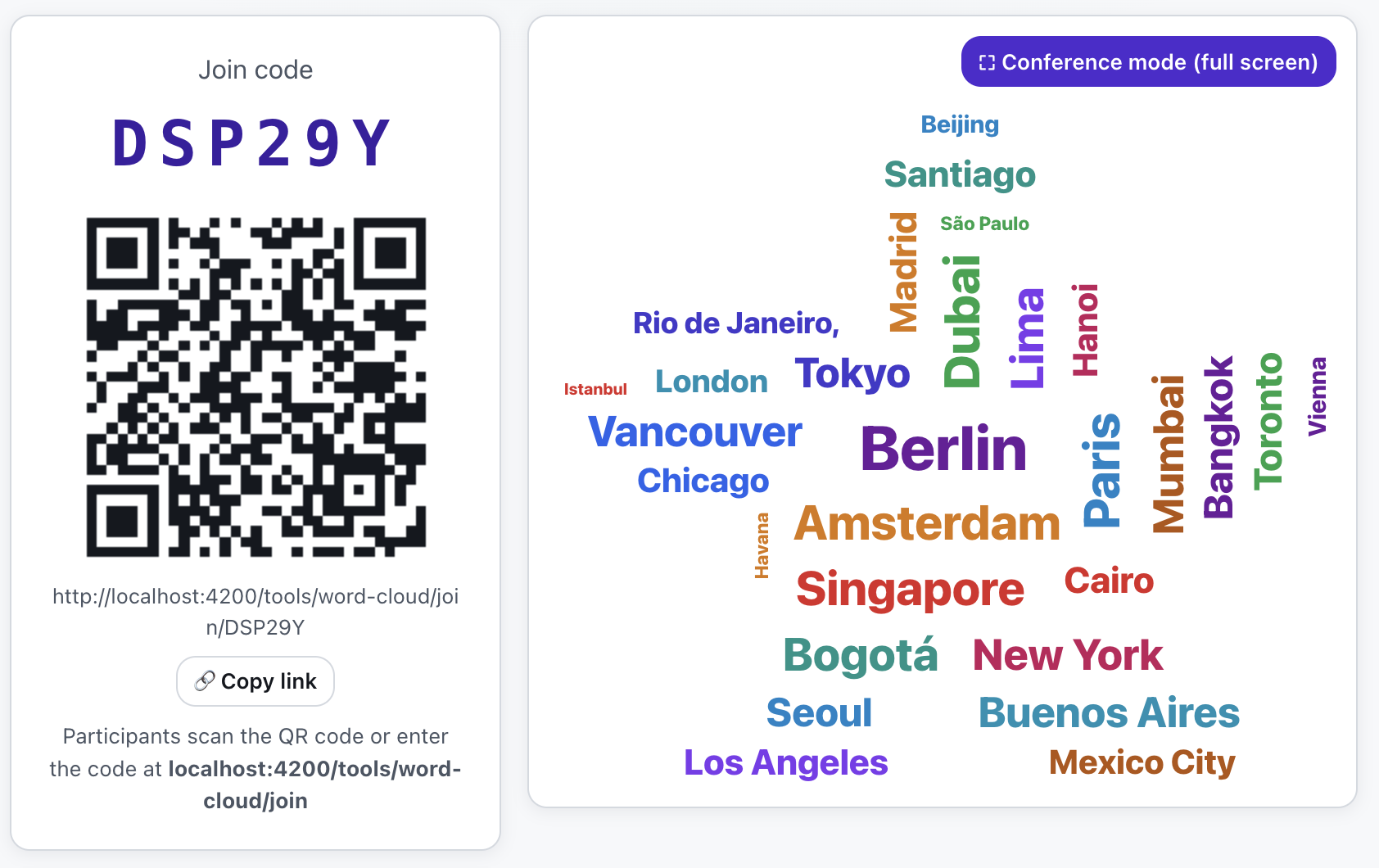
What is Word cloud?
You open a session, type the question and decide how many words each participant may add (from 1 to 5), which colours the words use, and whether the cloud is visible to everyone live. You share the session by letter code or QR - participants join from their phones without logging in, optionally giving a name.
Once words come in, the app arranges them into a cloud automatically: it scatters them horizontally and vertically and gives shorter words a larger font (repeated words grow too). Crucially, the layout is deterministic, so the host on the projector and every participant on their phone see the exact same cloud.
See it in action
The whole group's words become one picture
Features
Key capabilities
Question and 1–5 words
You set the question and how many words each participant may add - from one to five.
Colours your way
Pick a colour palette or let the system give each word its own colour.
Live visibility
Decide whether participants watch the cloud form in real time or only see it once you close the session.
Participant list and timer
See who joined, close the session manually or set how long it runs.
Join by code or QR
Participants join from their phones with a single scan or letter code, giving only a name (optional).
Emoji mode
Ask for emoji instead of words - the mood of the room forms a picture faster than anyone can word a sentence.
Step by step
How it works
Set up the session
Type the question and set the number of words, the colours and the cloud's visibility.
Share the code
Open the host console with the code and QR and show them to the group.
Participants answer
The group joins, optionally gives a name and submits their words.
Read the cloud
Words arrange into a cloud live - discuss what dominates and what surprises.
Use cases
What it’s good for
- A warm-up and gathering first associations at the start of a group
- Quick, anonymous feedback from the whole group
- Brainstorming and collecting ideas in a visual form
- Comparing mood or knowledge at the start and end of a training
- See the room's first associations within seconds
- A fast, visual answer from the whole group at once
- Compare the group's mood before and after the training
White label
Your brand for participants
On the paid plans you can add your company name, logo and colors, and during every session participants will see your brand instead of Verbalu.
Try “Word cloud” in Verbalu
Create a free account and run your first engaging session today. No card, no installation.