
Documents
Certificates
Upload a participant list, design a certificate and download a ready set of personalized PDF files to print or email.
What is Certificates?
Certificates turn a training’s participant list into a complete set of ready diplomas. You import names from a CSV, TSV or Excel file, or paste them straight from a spreadsheet - then correct and complete the list in a convenient table.
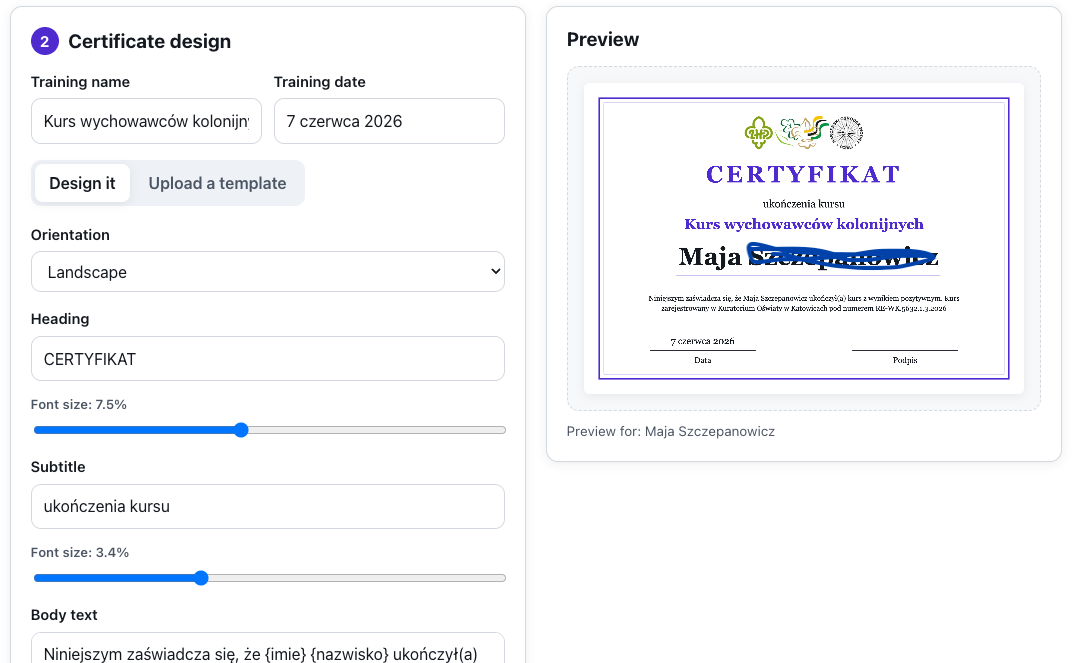
You design the certificate in the app - adding the training name and date, a logo, a background, choosing a font and page orientation - or upload your own ready template and just mark where the name should go. Everything happens in the browser: the participant list never leaves your computer, and in the end you download a single combined PDF, a ZIP of separate files, or a single certificate.
Features
Key capabilities
Import the participant list
Upload a CSV, TSV or Excel file or paste names from a spreadsheet - “First name” and “Last name” columns with or without a header.
Design in the app
Set the training name and date, add a logo and background, choose a font and orientation - landscape or portrait.
Your own template
Upload a ready design as an image and mark where the participant’s name should appear.
Live preview
Every design change shows instantly on a sample certificate, before you generate the whole set.
PDF and ZIP export
Download all certificates in a single PDF, a ZIP of separate files, or any individual diploma.
Everything in the browser
Generation happens locally - the participant list is never sent to any server.
A grade on the diploma
Beyond the name and the date you can put a grade or score on the certificate, plus a logo, a seal and a signature - all visible in the preview before you generate.
Step by step
How it works
Upload the participant list
Import a file or paste names, then correct them in the table if needed and add more people.
Design the certificate
Fill in the training name and date, add a logo and background, and pick a font - or upload your own template.
Check the preview
See a sample certificate with a name and fine-tune the layout.
Download the set
Generate a single combined PDF, a ZIP of separate files, or one certificate to print or email.
Use cases
What it’s good for
- Diplomas for completing a training or course
- Certificates of participation in a workshop or conference
- Personalized thank-yous for speakers and volunteers
- Certificates for passing a module or an internal exam
- Issue diplomas for the whole group after the training
- Personalised certificates generated from a list of names
- Ready-to-send PDF files for the follow-up email
White label
Your brand for participants
On the paid plans you can add your company name, logo and colors, and during every session participants will see your brand instead of Verbalu.
Try “Certificates” in Verbalu
Create a free account and run your first engaging session today. No card, no installation.