
Knowledge base
Wiki
Build a living knowledge base for your group - categorised Markdown articles with images, links and full version history, one link away.
What is Wiki?
A wiki is a shareable, searchable knowledge base you build yourself. Organise topics into a tree of categories and write articles in Markdown - add images, downloadable attachments and links between articles, exactly where they belong.
Participants open the whole wiki or a single article by link or QR code, browse the categories, search by keyword and read the latest version of any article - and can save it as a PDF. Every edit is snapshotted, so the material can keep improving without ever losing its history.
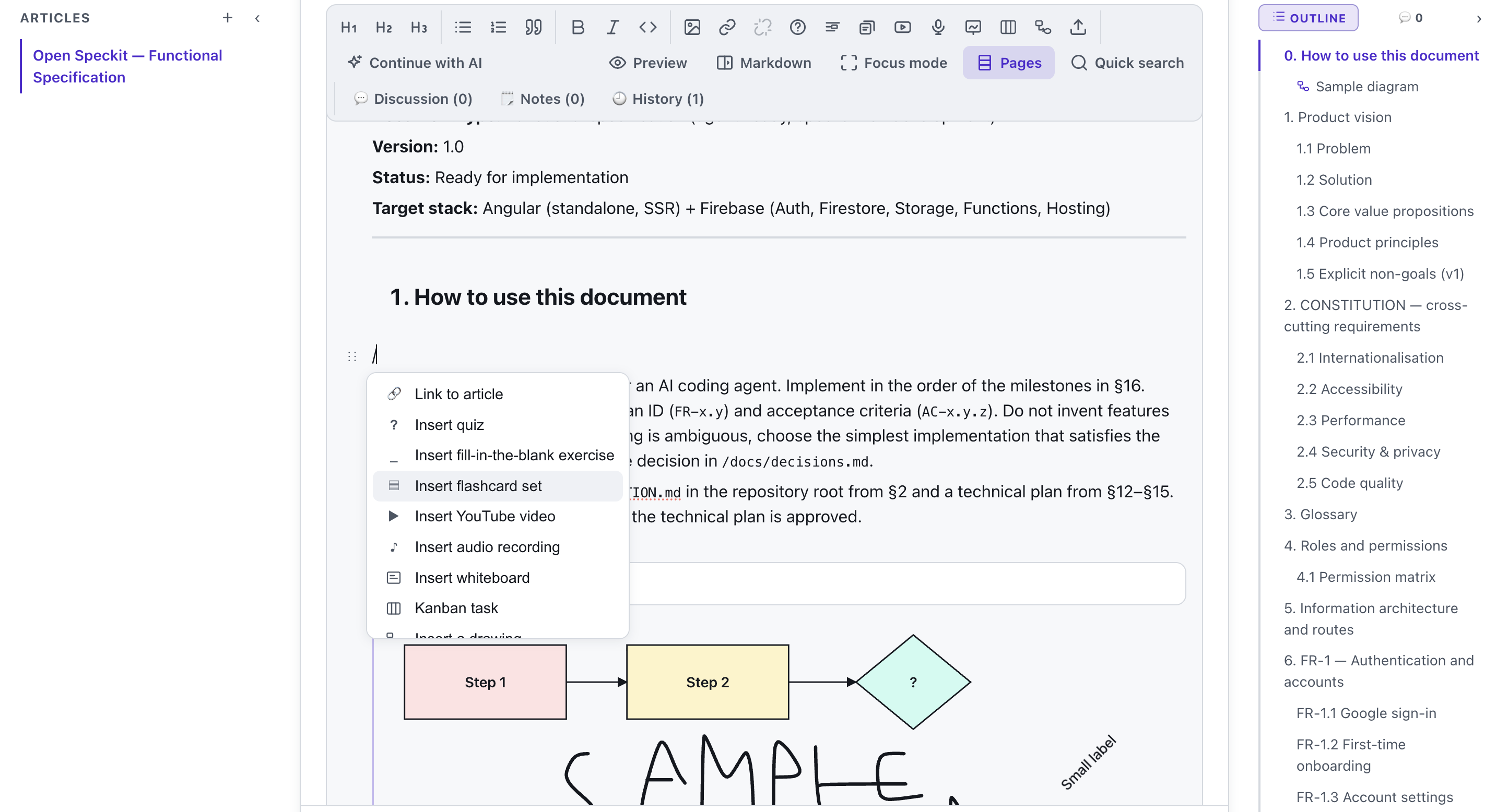
An article does not have to be text alone. Drop a quiz, a fill-in-the-blank exercise, flashcards, a diagram drawn on the spot, a whiteboard, a Kanban card, a YouTube video or an audio recording into the middle of it - readers do the exercise right where they are reading. AI can write the first draft from your own material, and readers search the base in their own words thanks to meaning-based search.
See it in action
Write it, link it - nothing gets lost
Features
Key capabilities
Category tree
Organise articles into nested categories so the knowledge base stays navigable as it grows.
Rich Markdown articles
Write in Markdown with headings, lists and quotes, embed images and attach downloadable files.
Cross-links
Link one article to another so readers can follow a topic from end to end.
Version history
Every save is snapshotted - browse earlier versions and restore any of them in one click.
Search & PDF
Participants search by keyword and can download any article as a clean PDF to keep.
Notes and book mode
Select a passage and attach a note to it, work in focus mode with an outline and page guides, and export the whole thing to PDF, DOCX or Markdown.
QR code sharing
Share the whole wiki or a single article by link or QR code - participants scan it with their phone and start reading right away, no account needed.
Interactive sections inside an article
Drop a quiz, a fill-in-the-blank exercise, flashcards, a whiteboard, a Kanban card, a YouTube video, an audio recording, a date or a checklist straight into the text - readers work through them without leaving the article.
Diagrams drawn in the text
Sketch a diagram exactly where you write - blocks, decisions and arrows in a simple editor. The drawing stays inside the article, so you fix it in place instead of jumping to a separate tool.
AI writes the first draft
Give it a topic or upload your own material and AI plans the article, writes the sections and adds a quiz and flashcards after them. Already have the texts? A single file imports a whole list of articles at once.
Meaning-based search
Readers ask in their own words and the AI search matches articles by meaning rather than exact wording - it lands on the right passage even when the text puts it differently.
Co-authoring and permissions
Invite co-authors by email and grant editing on the whole wiki or on a single article - a padlock keeps read-only whatever should stay untouched. Writing works without an account.
Step by step
How it works
Create a wiki
Give it a name like “Course handbook” and add a few categories.
Write articles
Add Markdown articles with images, attachments and links between them, and drop diagrams, quizzes and flashcards into the text.
Share the code
Show the QR code or send the link to your participants.
Keep it up to date
Edit freely - every version is saved, so you can always look back or restore.
Use cases
What it’s good for
- A course handbook participants can browse and search all term.
- A glossary or FAQ that grows as questions come up.
- Onboarding documentation for a new group or project.
- Reference material learners download as PDF for offline study.
- An article that checks understanding by itself - a quiz, flashcards and a diagram woven into the material.
- One place holding the materials for the whole course
- A knowledge base for people who are new to the team
- A way to organise notes and the questions that keep coming back
White label
Your brand for participants
On the paid plans you can add your company name, logo and colors, and during every session participants will see your brand instead of Verbalu.
Try “Wiki” in Verbalu
Create a free account and run your first engaging session today. No card, no installation.